 Masked Email Manager
Creating a Fastmail API token
Connect the app to Fastmail with a token limited to Masked Email access.
Check your plan first
Fastmail does not issue API tokens on Basic, the entry business plan. Masked Email still works there from Fastmail's own settings, but there is no token to paste into the app. Every other plan can create one, personal and business alike, so this only bites if you are on Basic.
In Fastmail
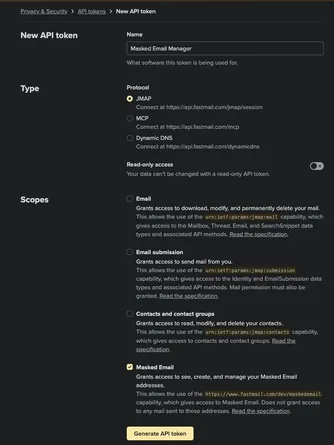
- Open app.fastmail.com/settings/security/tokens, under Settings then Privacy & Security.
- Create a new API token and name it something you will recognise later.
- Give it the Masked Email scope and nothing else.
- Copy the token. Fastmail shows it once.
In the app
- Open Settings.
- Paste the token into the Fastmail API Token field and save.
The app checks the token with Fastmail immediately. If it reports that the Masked Email scope is missing, create a new token. Fastmail does not let you add a scope to an existing token.

Revoking it
Delete the token on that same Fastmail page. The app stops working at once and there is nothing else to clean up on the device. Revoke it when you sell the phone or stop using the app.
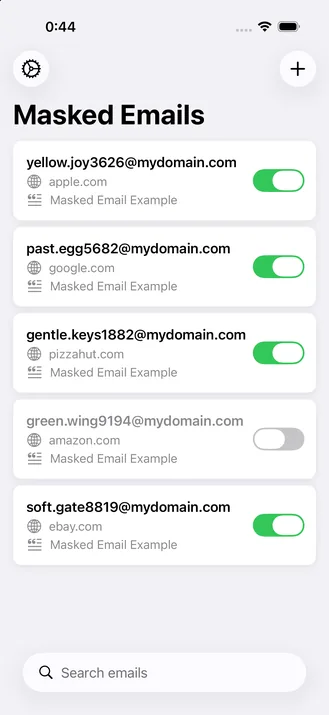
That token is the only setup Masked Email Manager needs. Paste it in and your addresses appear.