 Masked Email Manager
Fastmail Masked Email not receiving mail
Start with the address status. In most cases, it explains why the message did not reach your inbox.
Check the address's status first
An address is Active, Blocked, or Deleted, and only one of those receives mail normally. Go to Settings, then Privacy & Security, then Masked Email. The list holds the Active and Blocked ones; a deleted address is not in it at all.
- Active mail arrives in your inbox as usual.
- Blocked mail still arrives, but goes straight to Trash instead of your inbox.
- Deleted mail bounces back to whoever sent it; nothing reaches you at all.
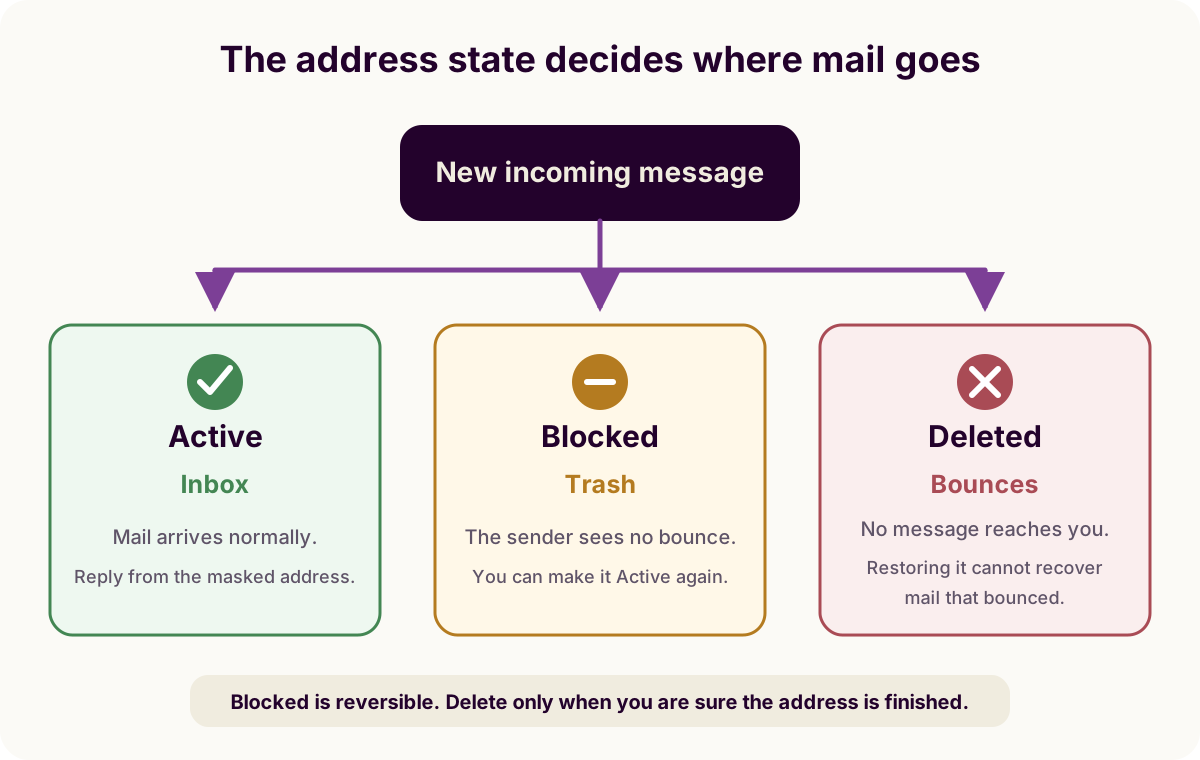
If it's set to Blocked and you want mail flowing again, the block guide covers switching it back to Active from either Fastmail or Masked Email Manager.
If the address is not in that list at all, try Review deleted masked addresses on the same screen, since deleting one moves it there. Taking a custom domain off your account removes its addresses too, which choosing the domain covers.
Failing both, the address may never have left the state Fastmail calls pending. Fastmail does not show pending addresses and deletes them 24 hours after they are created, unless a message arrives first and switches the address to enabled. That is what can become of an address generated from a signup form you then abandoned, depending on the generator, which the password manager guide covers.
Search for the mail directly
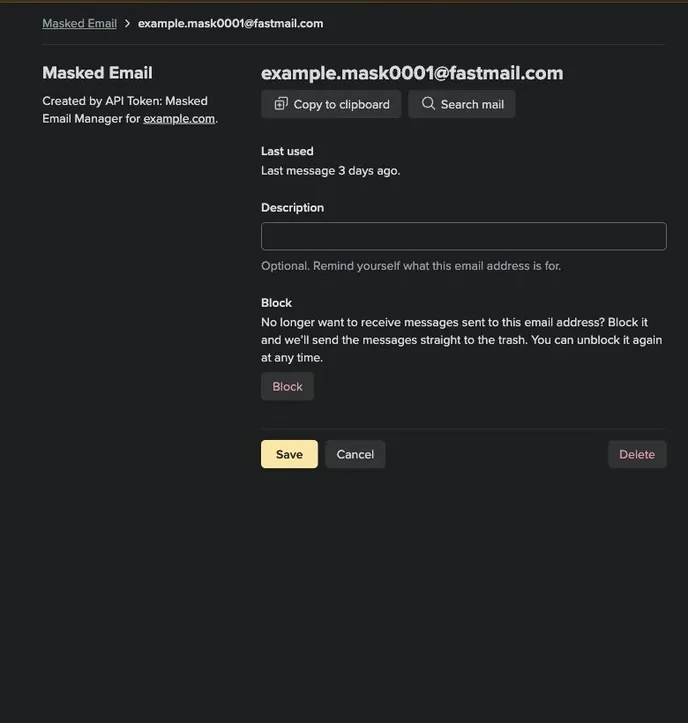
Fastmail can show you everything ever sent to one address. From the same Masked
Email settings screen, click the address, then Search Mail. By
default that search skips Trash and spam, so if a blocked address sent mail
there, add the in:* search operator to include every folder.
Mail that turns up in a folder you did not expect was filed by a rule, not lost. Sorting Masked Email with rules covers where the rules live and what they match on.
Problems creating new addresses
Fastmail limits how many new Masked Email addresses you can create within a period of time to prevent abuse. This is separate from delivery to an existing address. If creation fails, wait 24 hours and try again. Contact Fastmail support if it continues to fail.
To turn off an address that is working, see the block guide. It explains blocking and deleting.
Masked Email Manager shows every address's state in one list, so you can spot a blocked one before hunting for its mail.