 Masked Email Manager
Which domain your Masked Email addresses use
Every masked address is created at some domain, and unless you change it that
domain is fastmail.com. You can point it at a domain you own
instead. The choice decides how much the address gives away, and whether you
keep the addresses if you ever leave Fastmail.
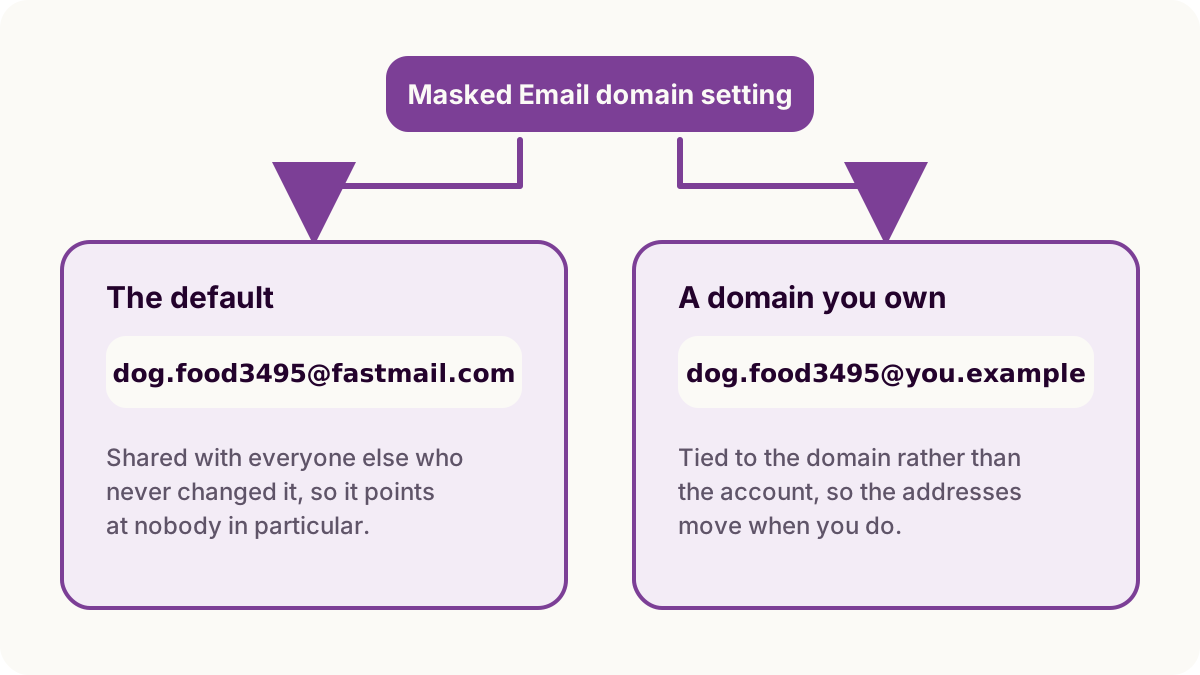
The default
Fastmail generates the part before the @ as
random words plus a random number, e.g.
,
and puts it at dog.food3495@domain.tldfastmail.com. That domain is shared with every other
customer who has not changed the setting, so the address says which mail provider
you use and nothing else about you.
Pointing them at your own domain
The domain has to be on your Fastmail account already. The setting is not on the Masked Email screen:
- Open Settings.
- Go to Users & Sharing, then Team settings.
- Select the domain to use for Masked Email addresses.
On a multi-user account only an admin can change it, so on a family or business account it may not be yours to set.
The domain is fixed when an address is created, so changing the setting decides where the next address lands rather than moving the ones you already have. A mailbox with years of signups on it will end up holding both.
Shared, or yours
Fastmail's own answer to this is that a domain of your own is
a bit less anonymous than using our domain that's shared by many users, but
ensures your addresses remain portable
.
An address at fastmail.com is one of a very large number, and
nothing in it points back to you. Your own domain gives that up in exchange for
addresses tied to a domain you control rather than to an account, so moving
providers is a DNS change and not a hundred signups to redo.
Take the shared domain if you mind being identified. Take your own if you mind losing the addresses.
A domain of your own also makes every masked address match one pattern, so a single rule can file all of them. The pattern matches the domain rather than the addresses, though, so it only holds if you take no ordinary mail there. On the shared domain it never holds: everyone else's addresses match it too.
Removing the domain removes the addresses
Fastmail's documentation says:
If the custom domain used to create Masked Email addresses is removed from
your Fastmail account, the Masked Email addresses at that domain will also be
deleted from your Fastmail account, and any messages sent to those addresses
will bounce.
This is not a setting to try with a domain you are half-planning to drop. Blocking an address sends its mail quietly to Trash; deletion bounces it, so the sender finds out and a password reset you were relying on never arrives.
What the app sees
Masked Email Manager lists whatever your account has made, at either domain, and shows the full address so you can tell them apart. It does not choose the domain: the token it holds is scoped to Masked Email addresses and does not reach account settings, so that choice stays in Fastmail.
The Masked Email explainer covers how a masked address differs from an alias or a catch-all on the same domain.
Whichever domain your addresses land on, Masked Email Manager is the list: search them, copy one with a swipe, and switch off the ones that started leaking.