 Masked Email Manager
Masked Email from 1Password and Bitwarden
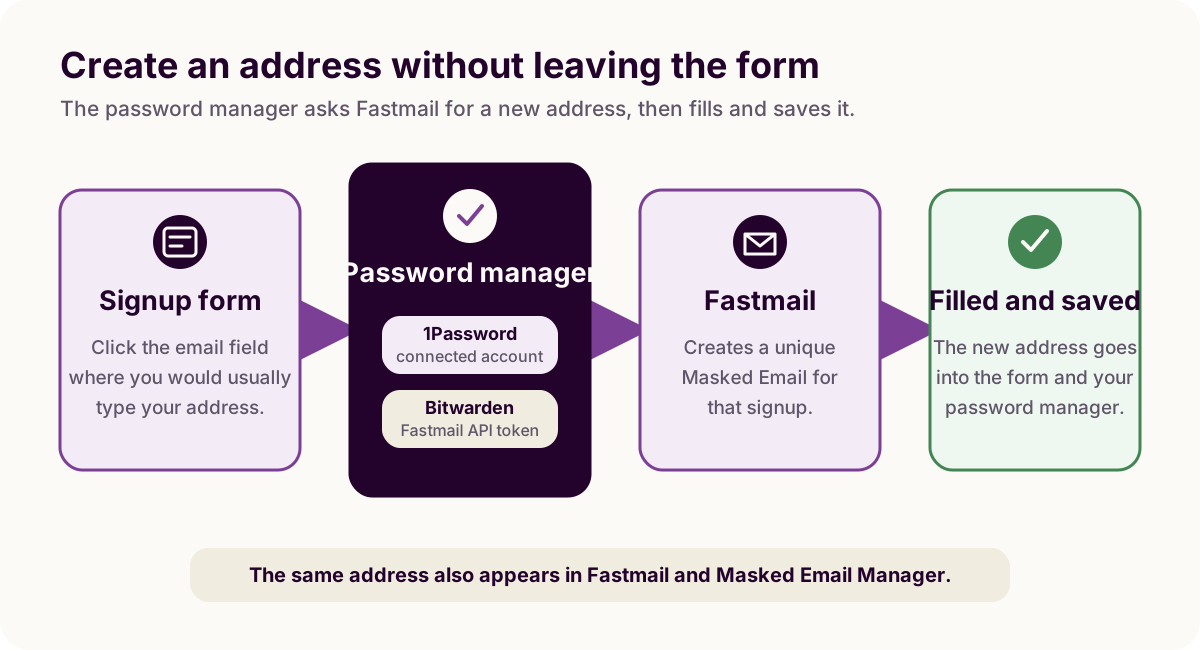
Fastmail does not have its own Masked Email browser extension. 1Password and Bitwarden both connect to the feature, letting you generate and fill an address without opening Fastmail's settings.
1Password
Connect the accounts once. In 1Password.com, open the sidebar and go to Integrations, then Fastmail, and sign in to authorize it. From the Fastmail side, the same connection is under Settings → Privacy & Security → Masked Email → Connect to 1Password.
After that, click an email field on any signup page, choose Create Masked Email from 1Password's menu, then Fill Email. If more than one Fastmail account is connected, 1Password asks which one to use, and Regenerate gets a different address before you fill it, if the first one doesn't fit.
Blocking one later doesn't require opening Fastmail: open the 1Password extension, search for the address, and use the dropdown next to it for Block Incoming Emails or Unblock Incoming Emails. Deleting an address outright still needs Fastmail's own settings.
Masked Email works from 1Password's browser extension, not from the desktop or mobile app, so install the extension and turn it on before you need an address. On an iPhone or iPad that means Safari. Signing up inside another app leaves no form for the extension to reach, and the address has to be made in Fastmail or Masked Email Manager first.
Bitwarden
Bitwarden works differently. Instead of connecting accounts, its username generator asks for a Fastmail API token scoped to Masked Email, the same kind Masked Email Manager itself uses. Fastmail does not issue tokens on Basic, its entry business plan, so that one plan rules the Bitwarden route out. The API token guide covers creating one if you don't already have it for the app.
In Bitwarden, open Generator, set the type to Username, choose Forwarded email alias and pick Fastmail as the service. Paste the token into API Access Token. You can then generate a Masked Email whenever a signup form needs one. There is no live account link like the 1Password connection. A revoked or expired token stops the generator from making new addresses but does not affect addresses that already exist.
The result appears in Fastmail
Both integrations create addresses through Fastmail's own Masked Email feature, rather than a separate service. An address made from a signup form in 1Password or Bitwarden shows up in Fastmail's settings and in Masked Email Manager exactly like one made there directly. You can block it from whichever tool is open.
Pending addresses disappear after 24 hours
Fastmail's API can hand a client an address before you commit to it. An address in that state is pending: Fastmail keeps it out of its own settings screen and deletes it 24 hours after it was created. A message arriving switches it to enabled, and a client can set the state itself, which is the other way out. An address that has left pending cannot be put back.
Which way a generator goes is the generator's choice.
Bitwarden's
Fastmail integration asks for state: "enabled" outright, so its
addresses are live from the moment they are generated and none of this applies
to them. 1Password does not say what it asks for, so an address you generate
there and then abandon may be gone the next day. Addresses you make in
Fastmail's own settings or in Masked Email Manager never go through pending
either, because both create them switched on.
The create guide covers doing it from Fastmail's settings or Masked Email Manager on your phone.
A password manager makes the address; Masked Email Manager is where you find it again a year later and switch it off.