 Masked Email Manager
Fastmail Masked Email vs. Apple Hide My Email
Both give signup forms an address that hides your real one. They differ in who can create an address, where you manage it, and what the service costs.
What they have in common
A masked address forwards to your real inbox, and a service that only ever had the masked one can't reach you once you switch it off. Fastmail Masked Email and Apple's Hide My Email both work this way. Both also let you reply from the masked address without exposing your real one.
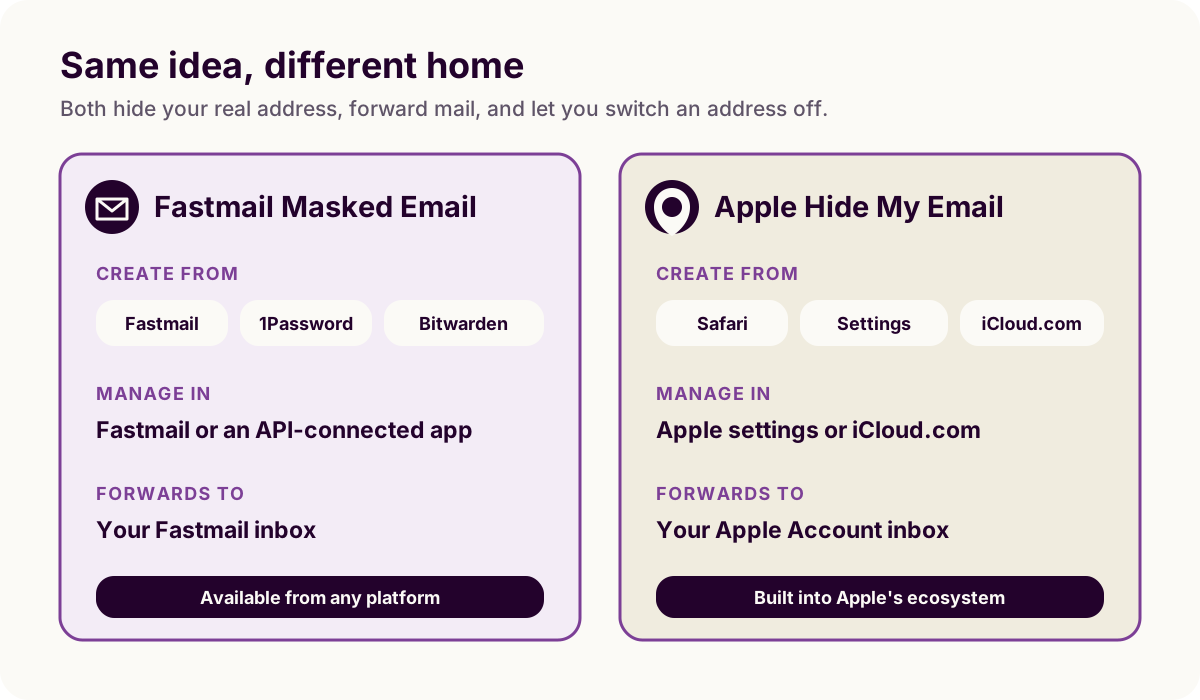
Where they differ
Hide My Email comes in two tiers. The relay address that Sign in with Apple hands you at a supporting login screen is free and unlimited on any Apple ID. Making your own, for a form that just wants an email address, needs an iCloud+ subscription. Fastmail Masked Email is included with every paid Fastmail plan, with no separate add-on.
You can generate Hide My Email addresses from Safari's autofill, the Mail app, iCloud settings, or iCloud.com. All four require an Apple Account with two-factor authentication turned on. Only iCloud.com works outside Apple hardware, from any browser. Fastmail Masked Email comes from Fastmail's own web app, password-manager integrations like 1Password and Bitwarden, or an app like this one. Bitwarden and this app reach your addresses with an API token, which Fastmail does not issue on its Basic business plan. Fastmail's own web app carries no such requirement. Once created, either type of address forwards mail on any platform.
Fastmail publishes an API for Masked Email. A third-party app can therefore show the full list, including descriptions, and block an address with one tap. Apple has not published an equivalent API. You can manage Hide My Email addresses only in Apple's Settings or on iCloud.com. Each one has an editable label and note, and iCloud.com adds search once you have five or more addresses.
Which one to use
If you're already paying for Fastmail, its Masked Email costs nothing extra and stays with the account if you change device or operating system. If you use Apple's ecosystem and do not want another mail provider, Hide My Email covers the same signups without leaving Settings. Creating addresses outside Sign in with Apple requires an iCloud+ subscription. You can also use both services, because a site sees only the address you give it.
These two are not the only options. SimpleLogin, DuckDuckGo Email Protection and Firefox Relay do the same job by forwarding to a mailbox you already have: compared with the forwarders covers those.
Already on Fastmail? The create guide covers generating your first address, and Masked Email Manager keeps the whole list a swipe away on your phone.
If you went with Fastmail, Masked Email Manager puts its addresses on your iPhone, where Hide My Email already lives.