 Masked Email Manager
What is Fastmail Masked Email?
Give every service a different address. They all forward to your inbox, and you can switch off any one of them without affecting the others.
One address per service
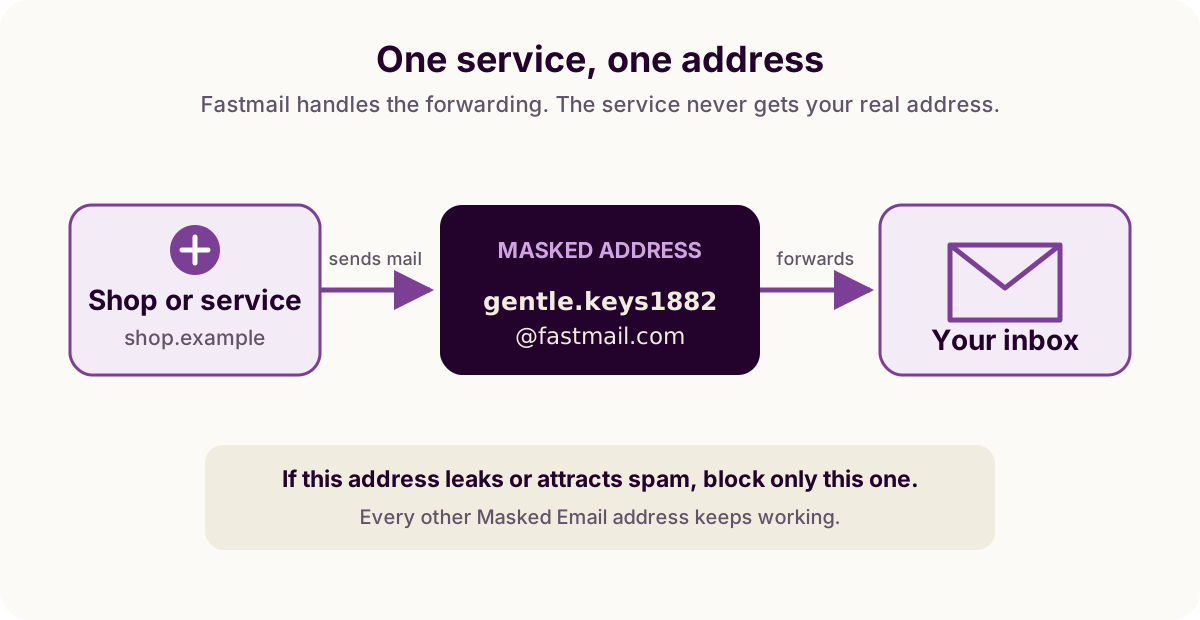
Rather than typing your real address into a signup form, generate one like
gentle.keys1882@fastmail.com. Mail sent to it lands in your normal
inbox, and Fastmail remembers which site it belongs to.
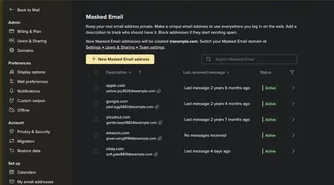
If that address starts receiving unwanted marketing or appears in a breach, block it. Your other addresses keep working. Because only one service had the address, you also know where it leaked.
Replying works the same way in reverse: Fastmail sends your reply from the masked address by default, so the other side still never sees your real one. You can also start a message from one, which takes one extra step.
The three states
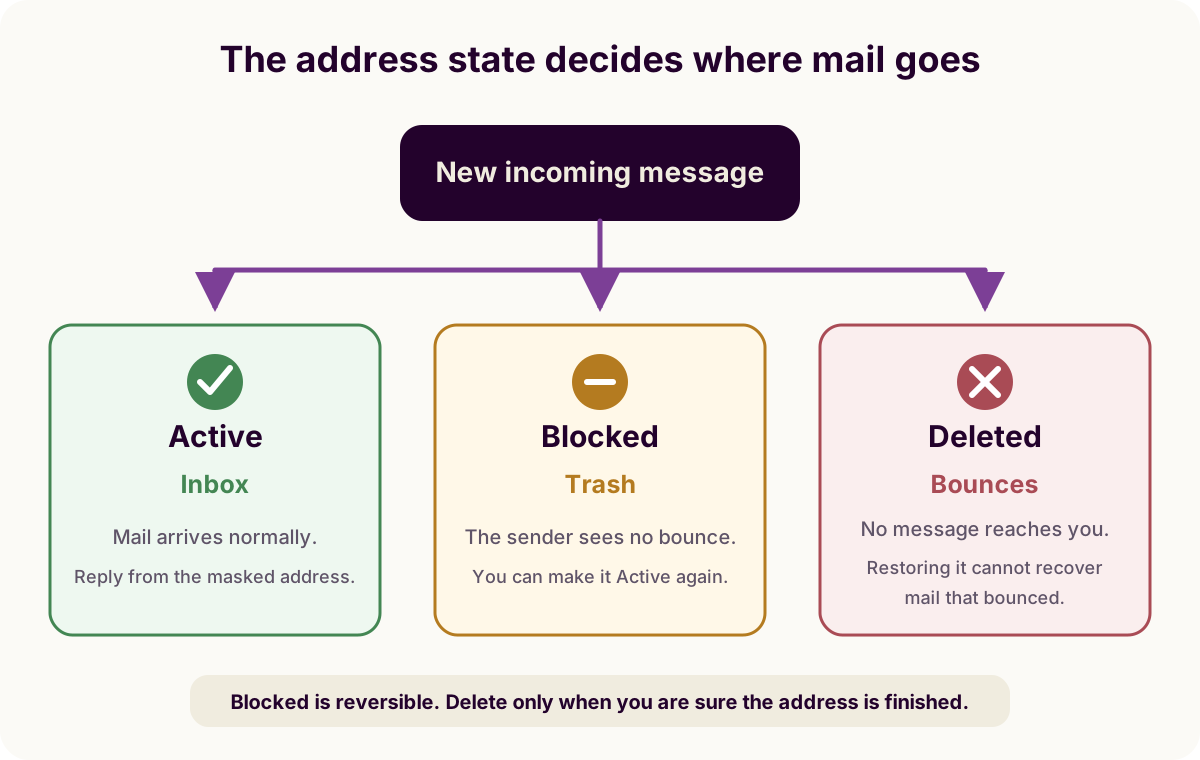
- Active. Mail arrives in your inbox as usual.
- Blocked. Mail goes to Trash instead. Nothing bounces, and you can switch it back on.
- Deleted. Mail bounces. Fastmail keeps deleted addresses in a list you can restore from.
Who has it, and how many you get
Masked Email is part of every current Fastmail plan, personal and business, with no add-on to buy and nothing to switch on. If you pay for Fastmail, it is already in your settings.
There is a ceiling on how many addresses an account can hold, and a second limit on how quickly you can make new ones. Fastmail publishes neither number, saying only that both exist to prevent abuse.
The 10-address limit in this app's free version is ours rather than Fastmail's, and it counts only the addresses you make through the app.
Compared to the alternatives
Fastmail gives you several ways to hand out an address that is not your main one. What separates Masked Email is that every address is unrelated to the others and to your real one, each has its own off switch, and you generate it rather than inventing it at the keyboard.
Aliases
An alias is an address you pick yourself, in Settings under My email addresses, at a Fastmail domain or one you own. Mail to it reaches your inbox, you can send from it, and an account holds 600 plus 15 for every user on it.
You choose each one by hand, which suits a few durable addresses (one for shopping, one for family) rather than a fresh one for every signup. What happens when you stop using one differs too: disabling or deleting an alias bounces the mail, while a blocked Masked Email address takes it to Trash without answering. Alias vs. Masked Email covers the rest, including the limits and which to reach for when.
Plus and subdomain addressing
you+shop@example.com costs nothing, needs no setup and works
anywhere, but your real address is still in the string. Anyone who wants to
reach it can strip the suffix. Some signup forms reject the +
outright.
Subdomain addressing, shop@you.example.com, gets past those forms
and behaves the same way otherwise. It needs an alias with no dot or underscore
in it. Neither form registers anything with Fastmail, so there is nothing to
switch off afterwards. You
filter the mail with a rule instead.
A catch-all domain
A catch-all on your own domain gives you full control if you already run one, but it advertises the domain, and once spammers find it they can invent addresses at it forever. Masked Email can use a domain you own without that problem, since only the addresses you generate exist there: choosing the domain covers the setting.
Apple's Hide My Email
The same job, for people already in that ecosystem. See the comparison guide for where the two actually differ.
Forwarding services
SimpleLogin, DuckDuckGo Email Protection and Firefox Relay give you the same kind of address without a Fastmail account, by relaying its mail to whatever mailbox you already read. Compared with the forwarders covers what the extra hop buys and what it costs.
When to use one
Use one for services you may abandon, sites that demand an address before showing a price, shops, and newsletters. Keep your real address for people, banks, and accounts where losing access would hurt.
Masked Email Manager keeps the whole list on your phone, so you can make one mid-signup and block it later without opening Fastmail.
Masked Email Manager puts that list on your iPhone, so you can search it or switch an address off without opening Fastmail.